From the preschool newsletter
Budneeds the date
Text Bud ↗
The school email. The screenshot. The confirmation nobody wants to re-read three times. TEXT IT turns it into one clear list for you — then helps you text each person only the part they need. No forwarding the whole mess.
Scroll each phone to see the clean list. Then keep going: TEXT IT helps you send each person only what they need to know.

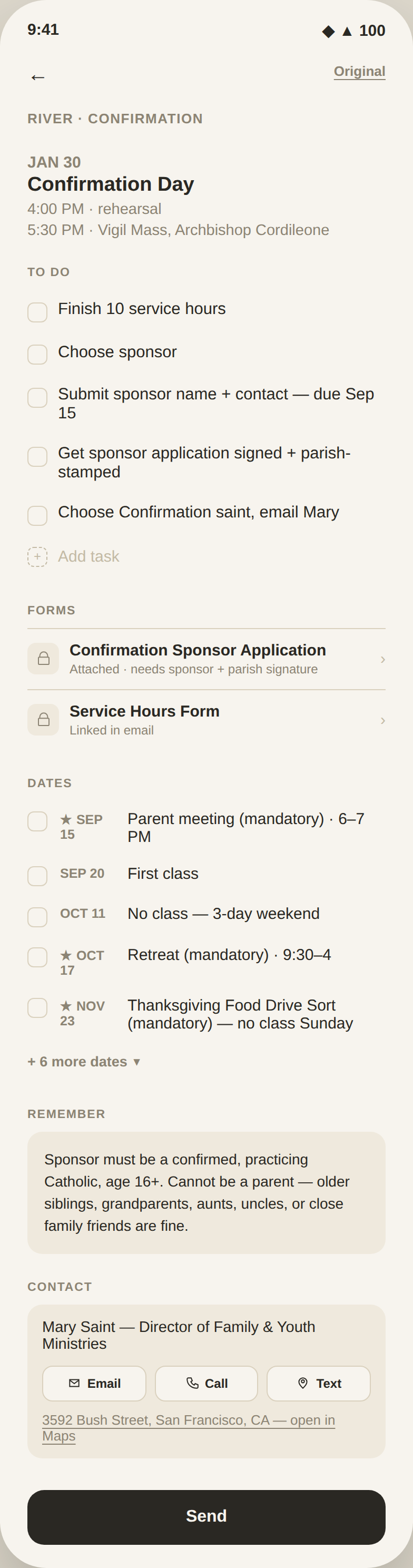
One newsletter can hold something for you, something for your child, and something for your partner. TEXT IT separates the pieces so nobody gets the whole wall of text.
The right information, sent to the right person — without forwarding the entire newsletter.
Most tools like this want to become your calendar — connected to your inbox, running quietly in the background, one more account to maintain. TEXT IT does the opposite. The original is always one tap away, so you never have to just trust it. Handle it, and it goes away.
A single dot above a soft undercurve — one clear thing to do, resting on the noise below. The dot is what you keep. The line is everything else, gone as soon as you handle it.
I'm Kassandra. Mom of four, founder of Nomos Industries. My inbox has four school calendars, three activity newsletters, a pediatrician portal, and the occasional pdf that assumes I have a printer. TEXT IT started as a personal tool. Something I could paste a wall of text into and get one clean thing to do, then share the details with whoever needed them, without forwarding the whole mess.
Built for the way my brain actually works: quickly, out of order, and often at 6:47 a.m. with a coffee in hand. Nothing gets saved that doesn't need to be. Nothing gets shared unless I share it. And when it's handled, it's gone.
TEXT IT is the fastest way to turn a message into a plan. When that plan needs a household, with shared responsibilities, kids who own their part, and a family that runs on trust instead of nagging, that lives in MUNUS, our other product.